Deliverables library
Every deliverable you produce lands in the library of the active project, ready to review, export, challenge and cross-check.
The library
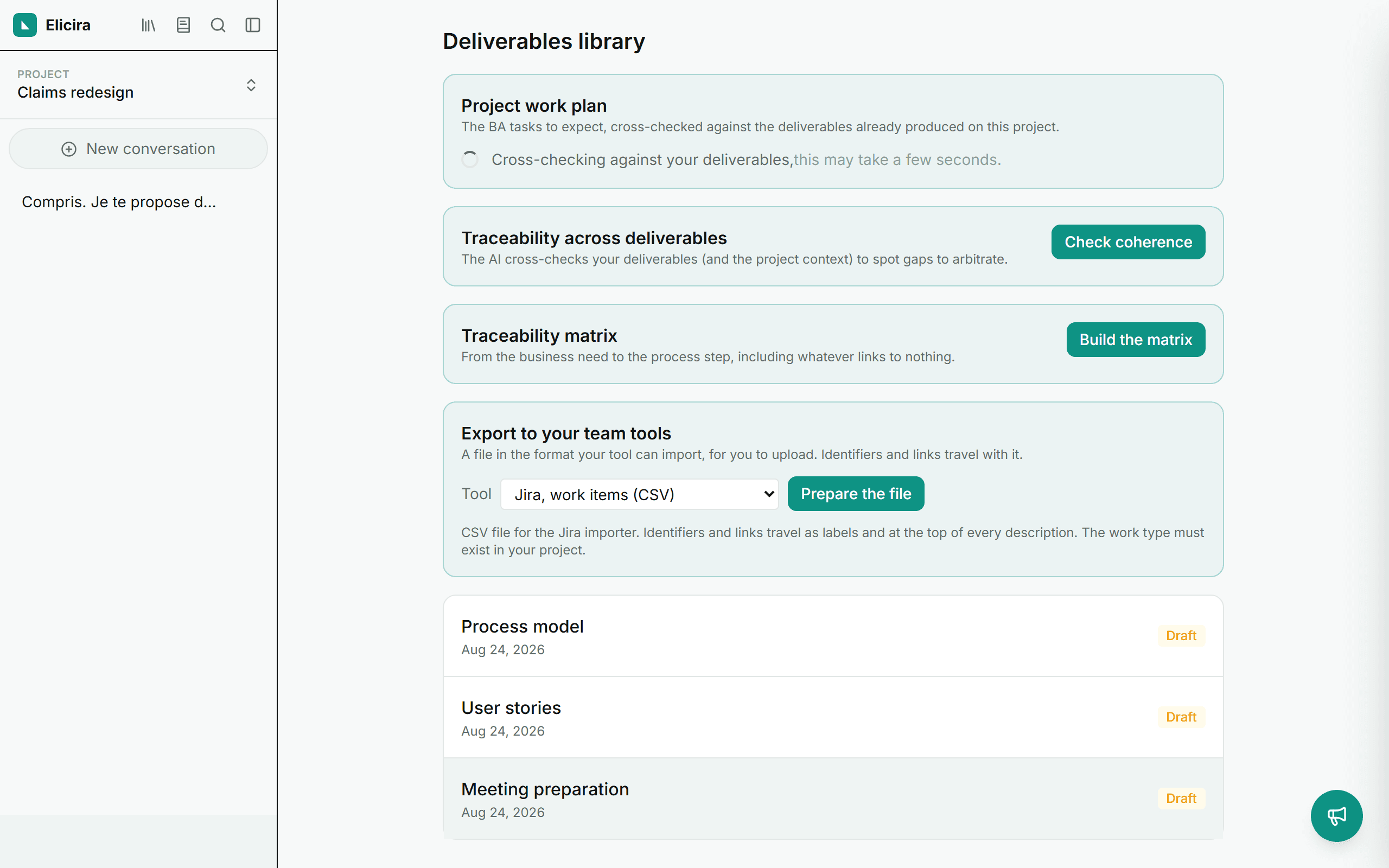
Reachable from the left menu, it gathers every deliverable of the active project: business needs, requirements, use cases, meeting preparations, user stories and process models.
Statuses and duplication
Each deliverable starts as a Draft and, when you are happy with it, becomes Validated (reversible). You can duplicate it to explore a variant without losing the original.
Taking your work with you
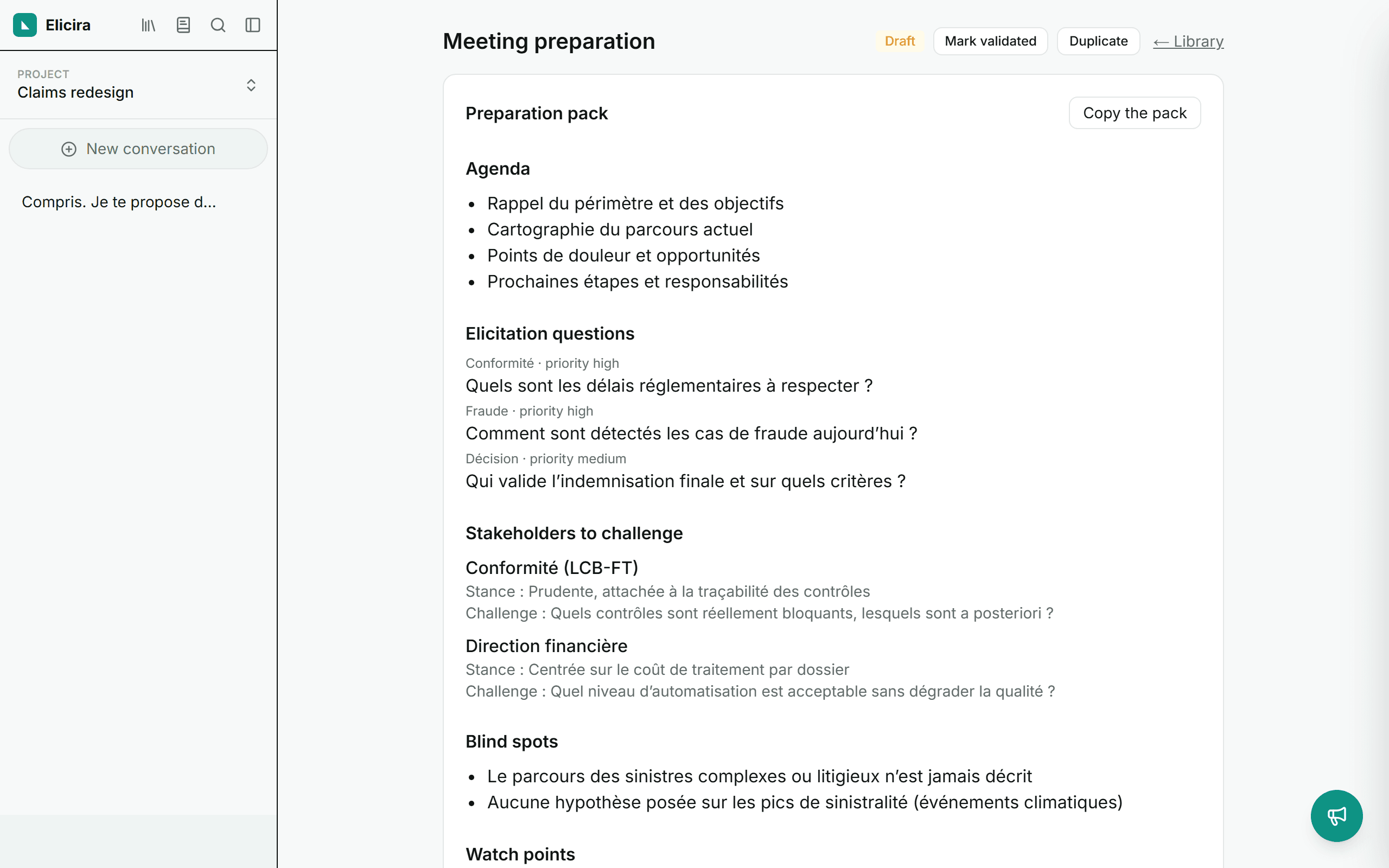
Copy a deliverable’s text in one click, or grab the BPMN 2.0 export for a process model, to open in your diagramming tool.
Challenge, the devil’s advocate
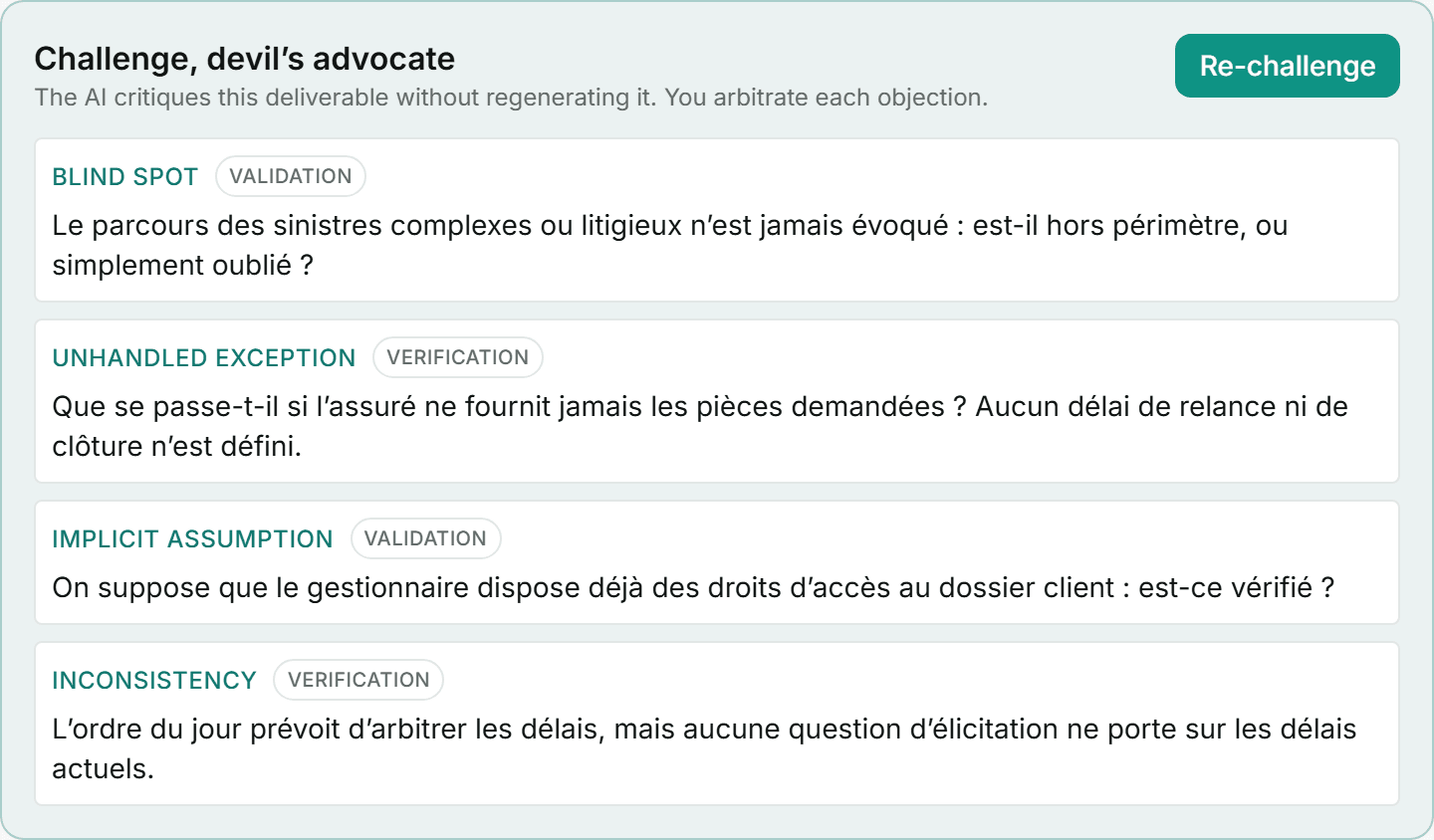
The AI critiques a deliverable without regenerating it: it raises objections, and you decide on each. A safeguard against blind spots that keeps your text intact.
Each objection carries its lens: Verification when it targets the deliverable’s writing quality (ambiguous, untestable, contradictory), and Validation when it targets alignment with the business need. A deliverable can be flawless in form and still be the wrong thing to build. The BABOK separates these two tasks (7.2 and 7.3), and so do we.
Coherence across deliverables
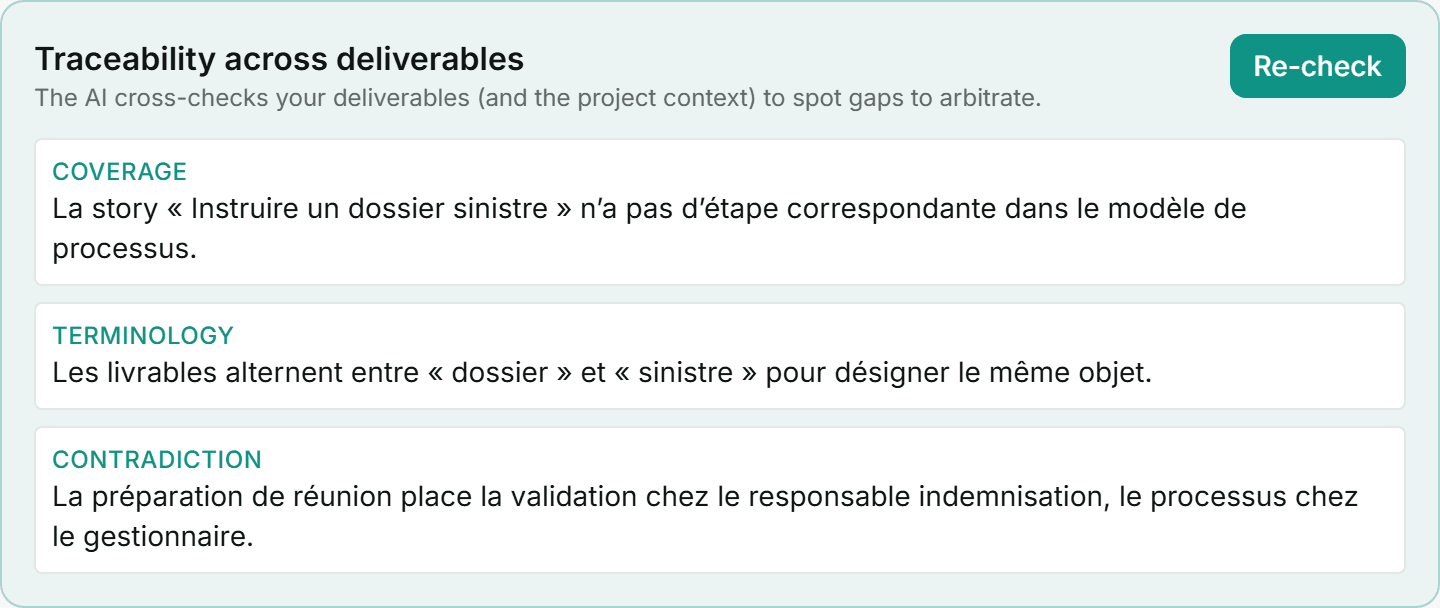
From at least two deliverables, the AI cross-checks them (with the project context) to spot gaps and contradictions to arbitrate: a story with no matching process step, a requirement nothing covers, a term drifting from the glossary. It answers “does this hold together?”; the traceability matrix, below, answers “what is missing, and where?”.
History and comparison
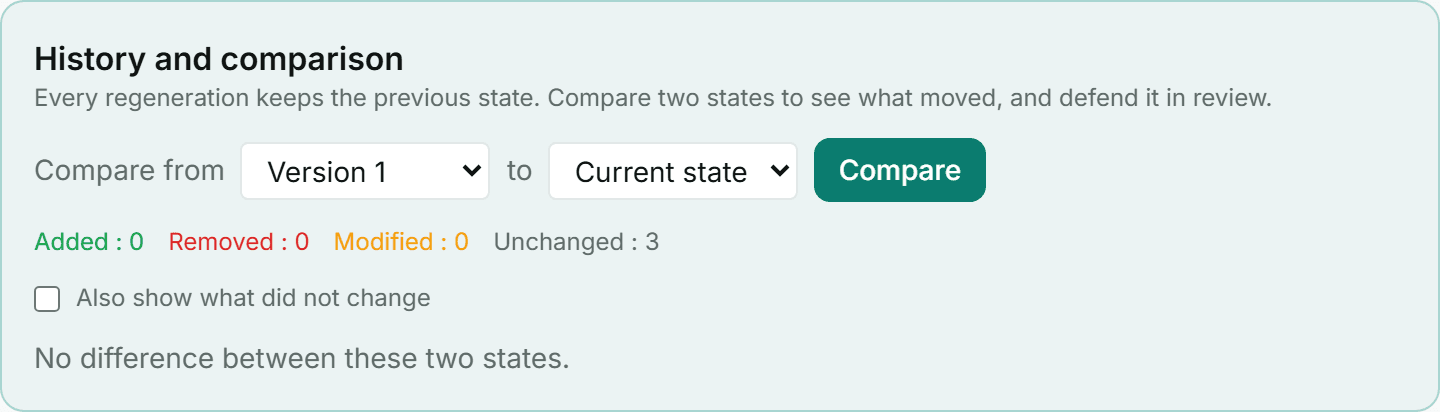
Every regeneration of a deliverable keeps the previous state. The history panel, on a deliverable’s page, lets you compare two states and see what was added, removed or changed, field by field.
When the comparison cannot go down to the individual item, it says so rather than letting you conclude nothing moved.
Note: regenerating does not consume quota, and it turns a validated deliverable back into a draft, since it is no longer the text you validated.
Traceability matrix
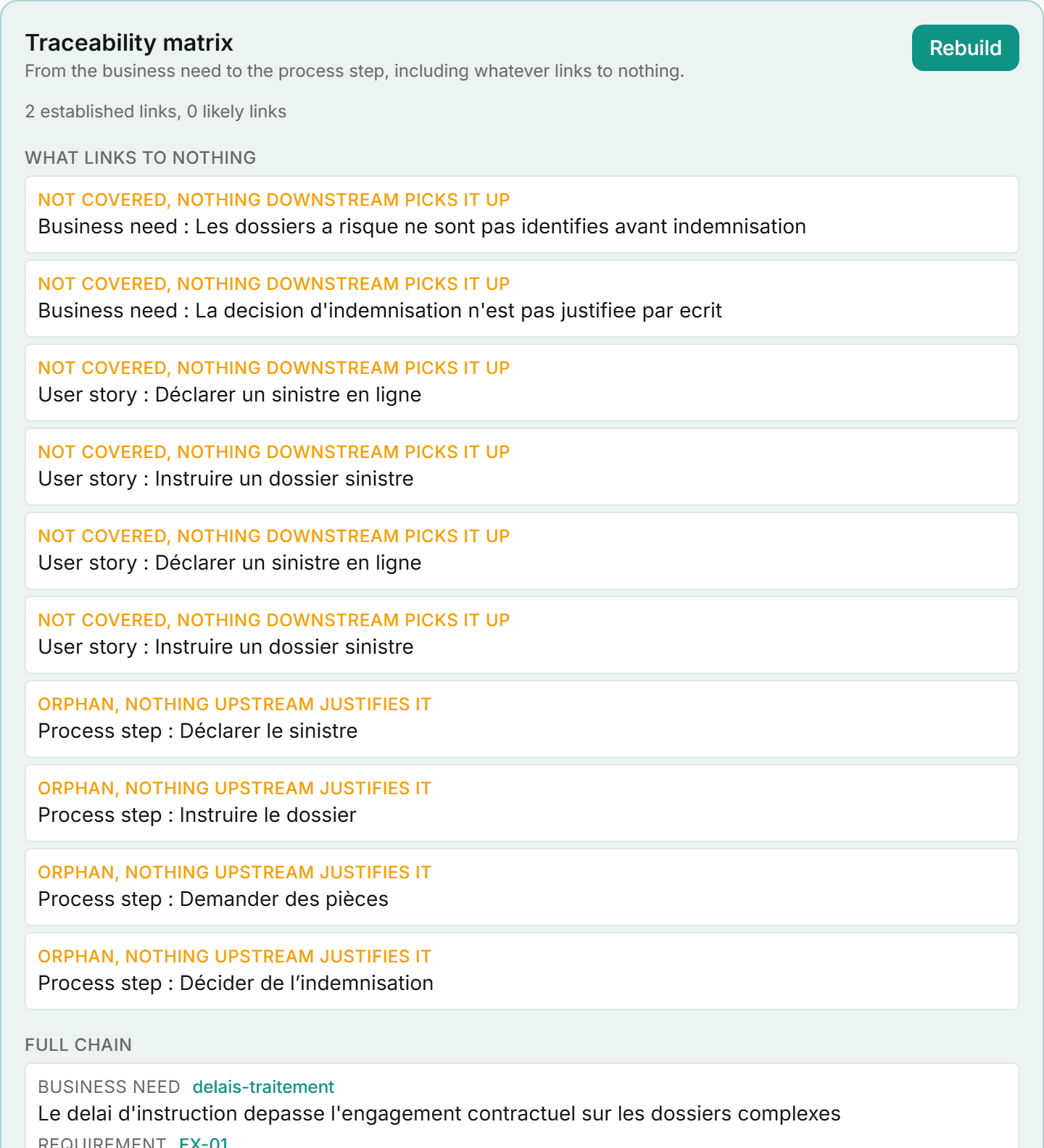
From the library, the matrix relates your deliverables along the chain: business need, requirement, use case, user story, process step. It needs at least two links of the chain to mean anything.
What it shows first is not the chain, it is what relates to nothing: a need nothing covers downstream, an orphan requirement with nothing left to say why it exists, a reference that cannot be found, an identifier carried by two items.
An established link cites an identifier that really exists. A likely link is a match proposed by the assistant, stated as a hypothesis and left for you to confirm. The two are never conflated on screen: on an audit matrix, presenting a guess as a fact would manufacture evidence.
Project work plan
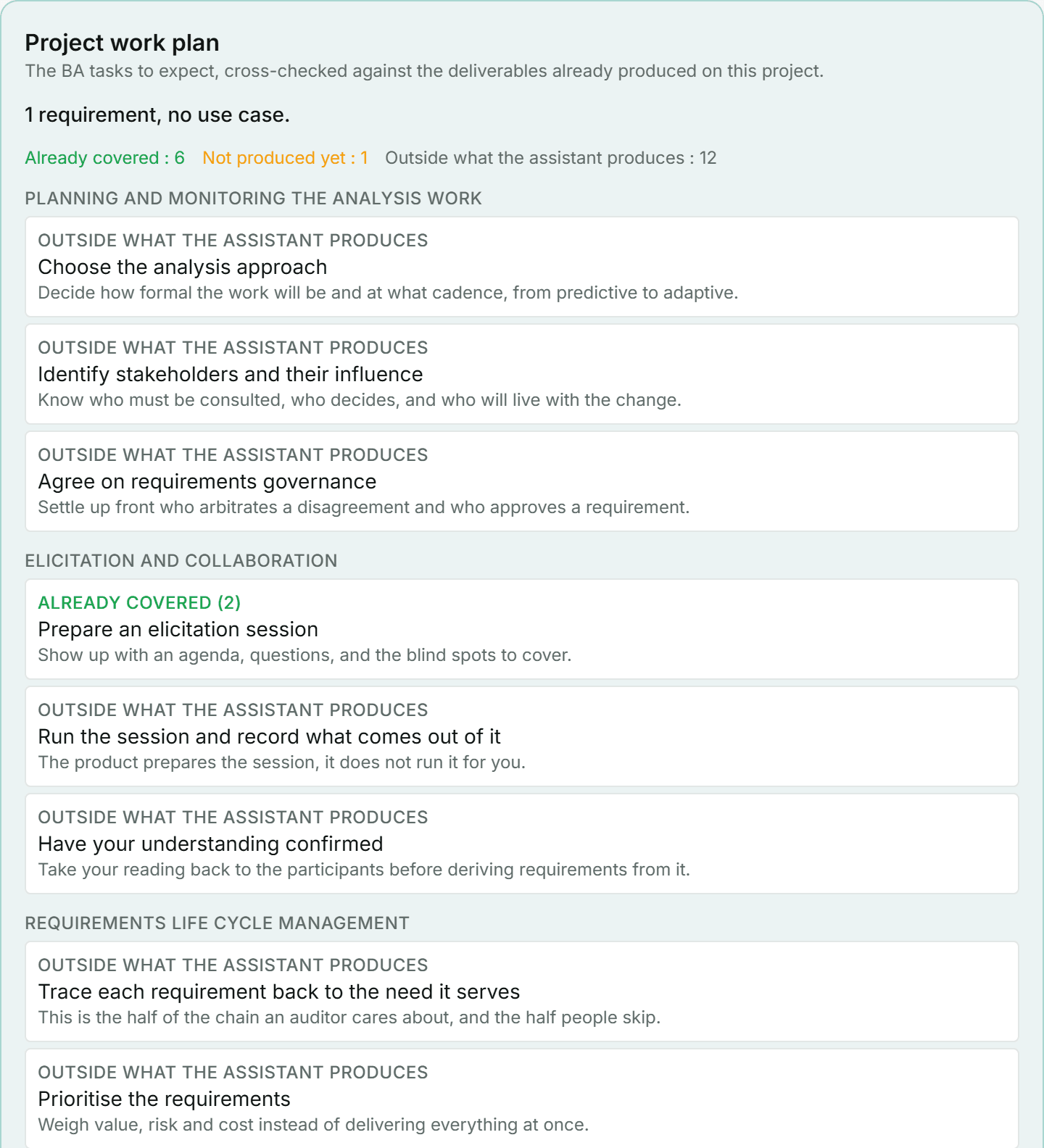
Also from the library, the work plan lists the expected business analysis tasks, from the BABOK v3, and cross-checks them against what you already produced on this project: already covered or not produced yet.
Tasks the assistant does not materialise stay listed, marked as such: the craft is not limited to what an assistant can generate. The plan introduces no notion of project phase, and will not.
Export to your team’s tools
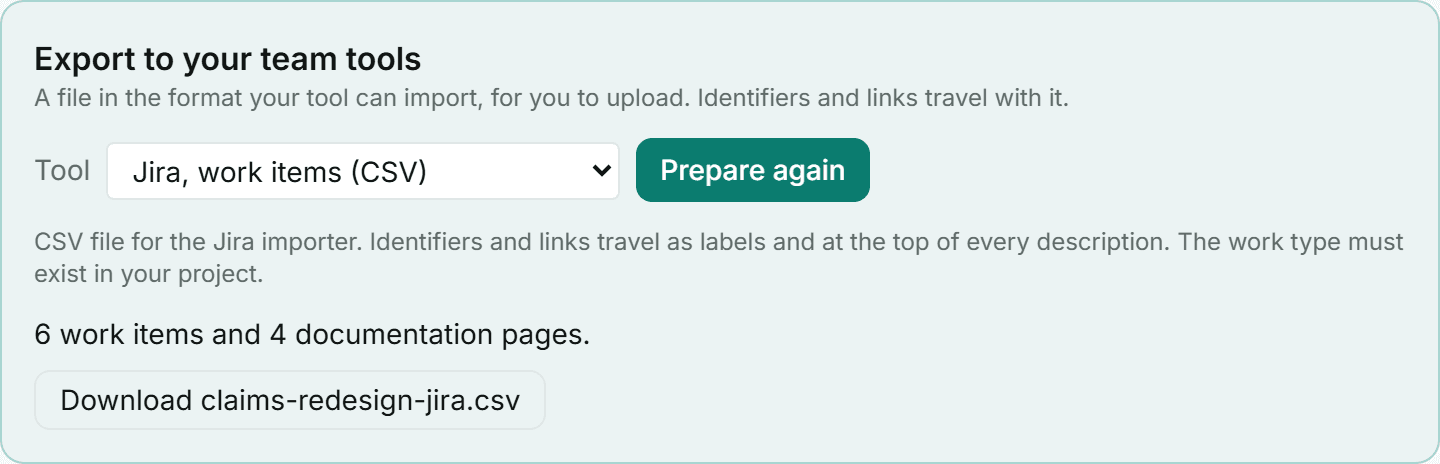
From the library, prepare a file in the format your tool can import: Jira (issues, CSV), Azure DevOps (work items, CSV) or Confluence (page, Markdown). The identifiers and links of the analysis chain travel with it.
The product builds a file, which you upload yourself. There is no connection to your tool, no account to link, no token to hand over: nothing to revoke the day you leave, and nothing for us to secure in the meantime.